Teachers can now record audio, video, and screencasts directly in Google Classroom
Teachers Can Now Record Audio, Video, and Screencasts Directly in Google Classroom: The EdTech Game-Changer
The digital classroom just received its most significant efficiency upgrade this year. For educators worldwide navigating the complexities of hybrid and remote instruction, juggling multiple recording applications was a daily burden. That era is officially over. Google has rolled out a massive update that allows teachers to capture high-quality audio recordings, personal videos, and full screencasts—all without ever leaving the Google Classroom interface.
This integrated feature set transforms how content is created, delivered, and consumed. It moves valuable educational technology (EdTech) functionality directly into the hands of the teacher, drastically simplifying the workflow for delivering rich, multimedia content.
Goodbye Juggling Act: Instant Content Creation Streamlines Lesson Delivery
I remember the pain. Just last semester, to create a quick math explanation for my fifth graders, I had to open a separate screen recording software, ensure permissions were correct, record the 3-minute explanation, wait for the file to process, download the file, then upload it manually to Google Drive, and finally, copy the share link into the assignment prompt in Classroom. This multi-step process often deterred me from creating quick, personalized instructional moments.
This new functionality eliminates those frustrating roadblocks entirely. It is designed for maximum efficiency, saving teachers precious time that can be redirected back toward personalized student interaction. The content creation process is now seamless, taking minutes instead of the better part of an hour.
The instant accessibility of these tools means that personalized feedback and just-in-time instruction are now viable options for every teacher, regardless of their technological proficiency. This move confirms Google's commitment to enhancing the core functionalities within Google Workspace for Education, making it a true all-in-one hub.
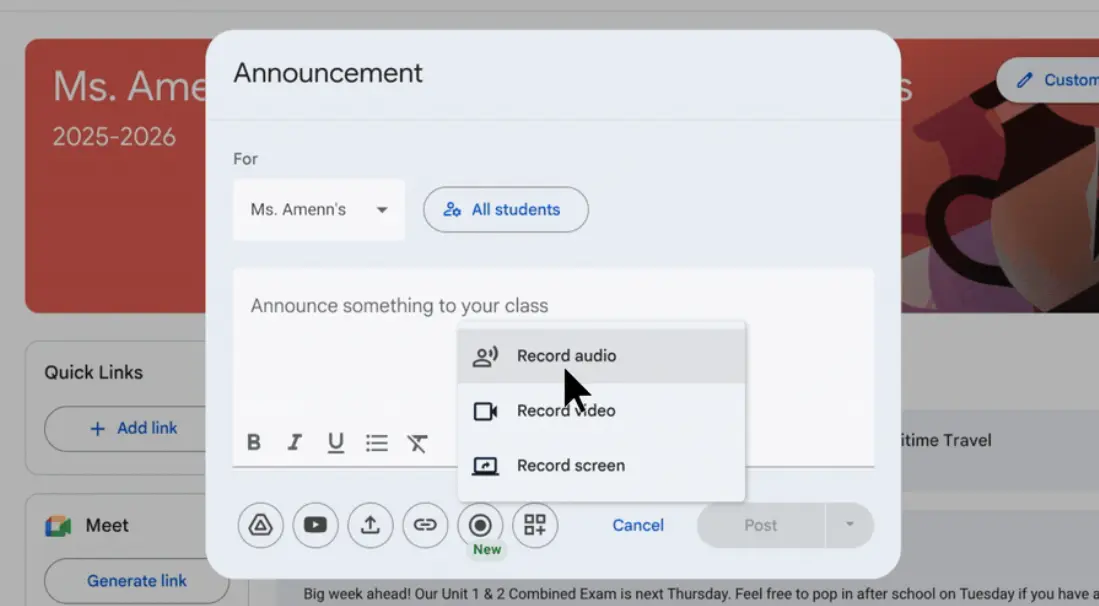
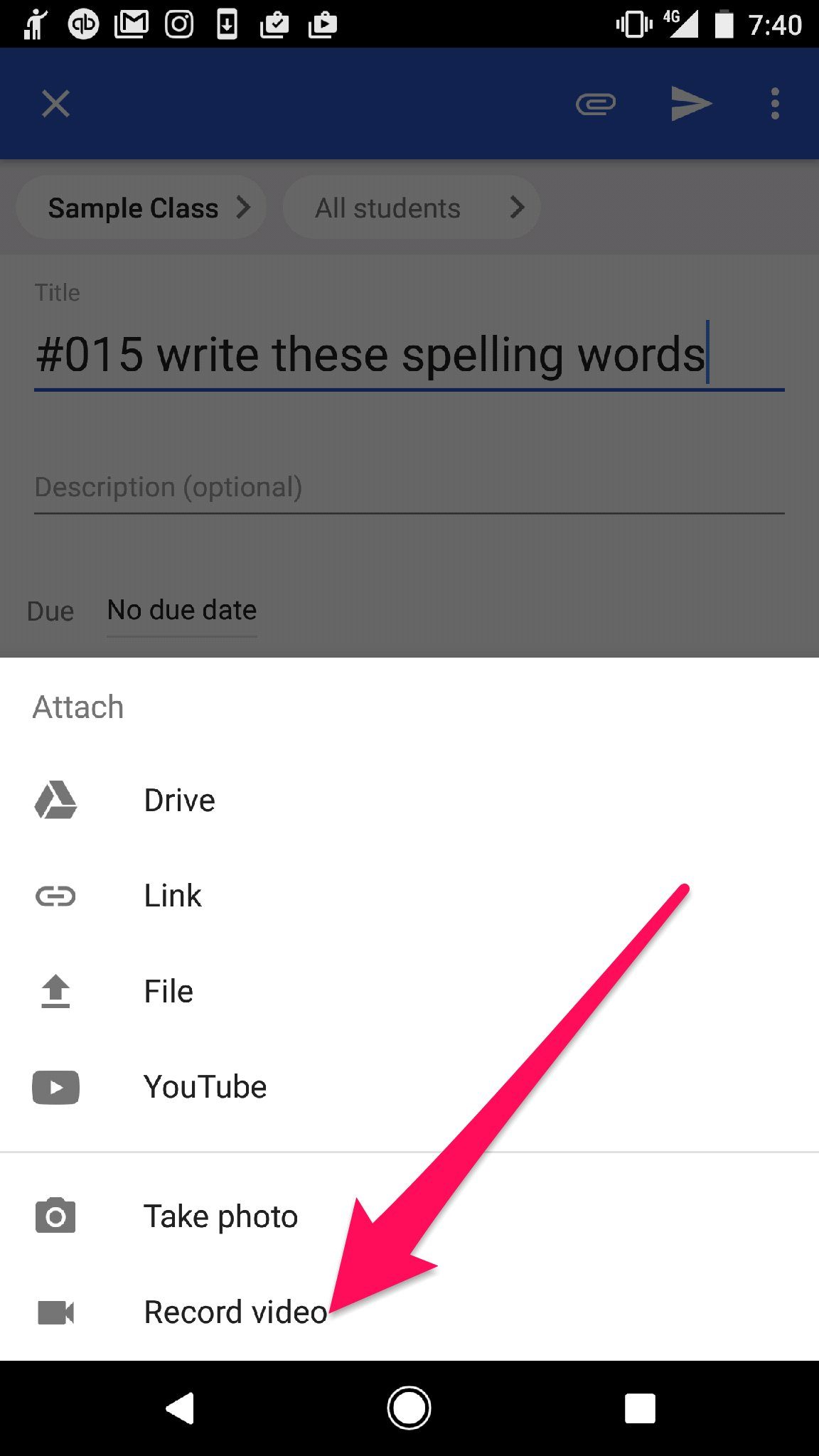
When creating announcements, assignments, questions, or material posts, teachers will now see an embedded recording option. Tapping this option launches the native Google recording studio, which handles all processing and automatic saving directly to the user's Drive account, ready for instant attachment.
Understanding the New Integrated Recording Features
This update introduces three distinct recording modalities, each serving a unique pedagogical purpose. Understanding how to leverage these tools is key to maximizing student engagement and ensuring that differentiated instruction is delivered effectively.
1. Audio Recording (Voice Notes)
This is arguably the simplest yet most powerful feature for delivering quick, accessible feedback and instructions. Teachers can record short audio clips—perfect for verbal guidance on assignments, pronunciation practice, or simply leaving a supportive, humanizing voice note for students.
- Accessibility: Ideal for students with visual impairments or those who struggle with large blocks of text.
- Feedback Loop: Allows teachers to give detailed, emotive feedback much faster than typing comments.
- Language Arts: Perfect for reading assignments or providing dictation exercises.
2. Video Recording (Webcam Capture)
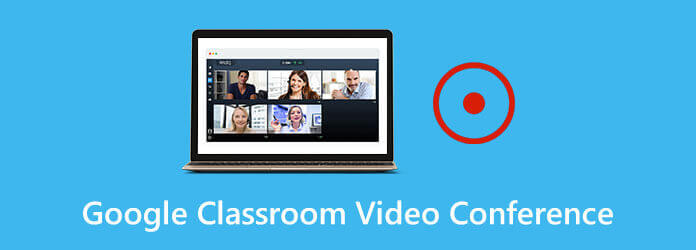
Video capture allows teachers to record themselves directly using their device's webcam. This is essential for building social presence and maintaining a strong teacher-student connection, especially in distance learning environments. It allows students to see their teacher, promoting familiarity and trust.
- Personalized Check-ins: Record a quick, enthusiastic introduction to the day's lesson.
- Modeling Behavior: Demonstrate classroom procedures or lab safety techniques visually.
- Flipped Learning Models: Record short, digestible micro-lessons for students to watch before class, saving valuable class time for interactive problem-solving.
3. Screencast Recording (Screen Sharing and Narration)
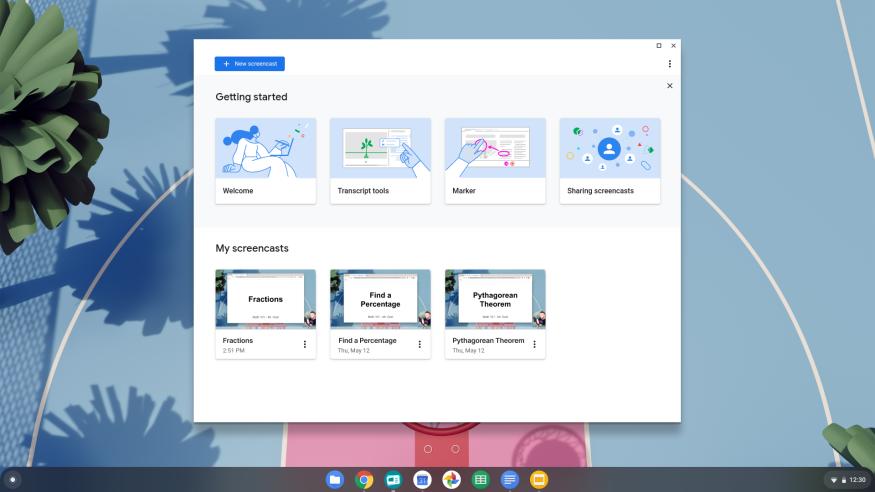
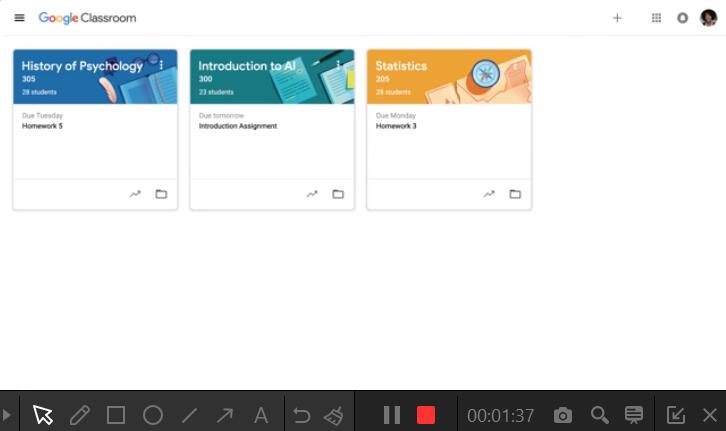
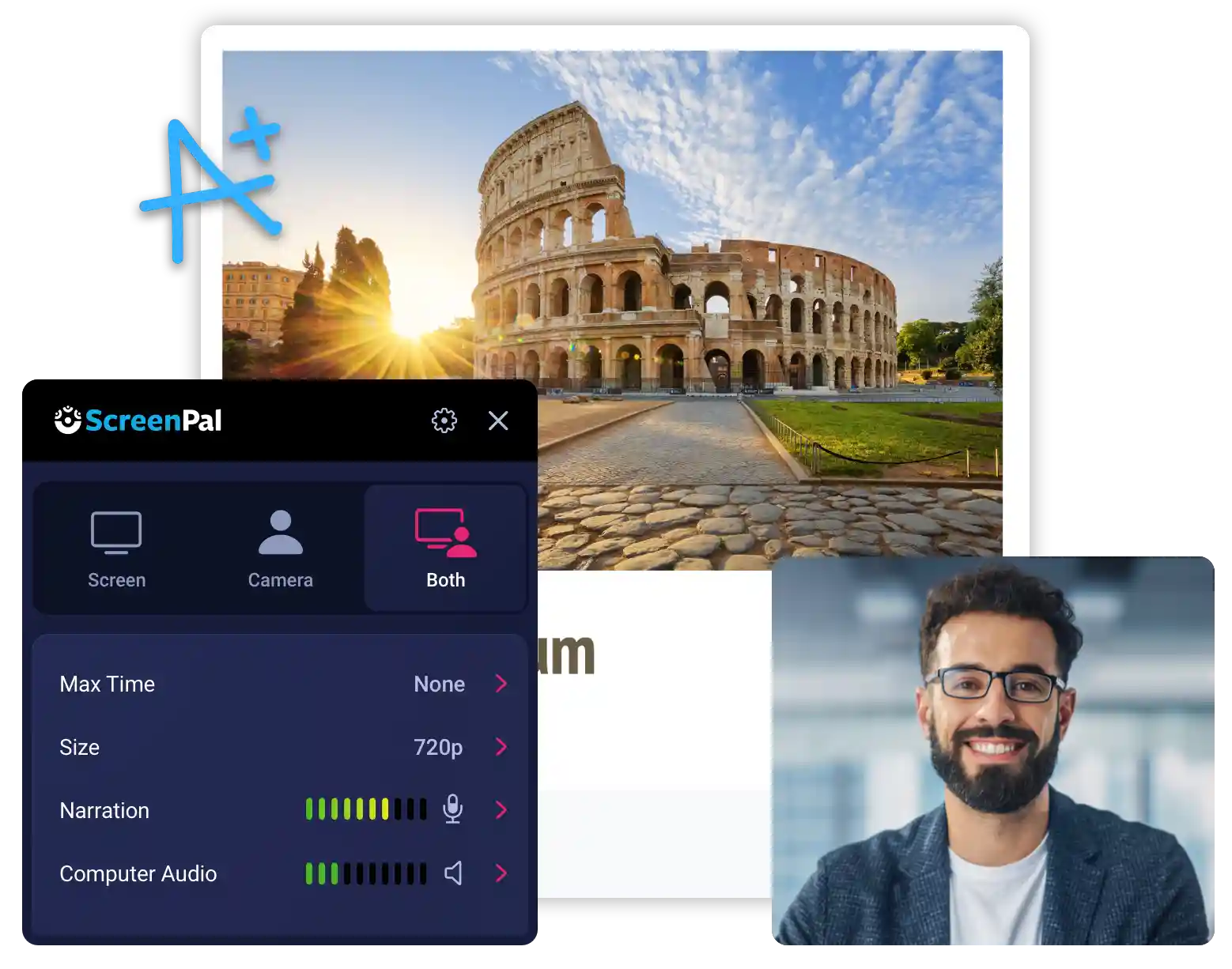
The screencasting feature is the professional standard for delivering detailed, technical instructions. This allows teachers to record their screen activity—whether demonstrating how to use a software program, walking through a complex math problem using a digital whiteboard, or navigating a specific website for research.
- Software Demonstrations: Teach students how to use spreadsheets, coding platforms, or graphic design tools.
- Document Annotation: Provide a voice-over explanation while marking up a sample assignment, highlighting common errors.
- Interactive Lessons: Create step-by-step tutorials that students can pause and rewind at their own pace, significantly boosting asynchronous learning capabilities.
Transforming Instruction: Pedagogical Benefits and Use Cases
The true value of this update lies not just in the convenience, but in the pedagogical shifts it enables. By lowering the barrier to entry for multimedia creation, Google Classroom is empowering a more dynamic and responsive style of teaching.
One primary benefit is the dramatic improvement in asynchronous feedback. Instead of relying solely on written comments, teachers can now deliver high-impact video or audio feedback that conveys tone, context, and clear expectations instantly. This deeper level of communication is vital for student growth.
Consider the power of differentiated instruction. A teacher can now record three different versions of an introduction to a core concept: a basic audio recording for English Language Learners (ELLs), a video with visuals for struggling students, and a challenging screencast demonstration for advanced learners. All three versions are created and posted within the same interface, effortlessly meeting diverse learner needs.
Furthermore, these tools are powerful amplifiers for universal design for learning (UDL). Providing information through visual, auditory, and kinetic channels ensures that all students have multiple pathways to access and process the content.
Use cases extend far beyond simple lesson delivery:
- 📌 Teacher Absence: Quickly record sub plans and lesson walkthroughs in a matter of minutes, ensuring continuity.
- 📌 Parent Communication: Send short video messages home explaining complex projects or upcoming field trip details.
- 📌 Student Self-Assessment: Require students to submit their own short video or audio recordings explaining their thought process, turning assessment into an interactive learning moment.
Implementation and Best Practices for Maximizing Student Engagement
While the tool is powerful, successful integration requires thoughtful implementation. Teachers must consider best practices for video and audio production to ensure that the content genuinely enhances, rather than distracts from, the lesson objectives.
Keep it Concise and Targeted
In the age of TikTok and YouTube Shorts, attention spans are demanding. Research consistently shows that engagement drops sharply after 6–8 minutes of video content. Use the new tools to create "micro-lessons."
For a full lecture, segment the content into 3–5 minute chunks, each focusing on one specific learning objective. This makes the content easier for students to revisit and review.
Focus on Sound Quality
Poor sound quality is the number one destroyer of educational video effectiveness. Since the audio is now a core medium for feedback and instruction, ensure you are recording in a quiet environment. Using a simple external microphone (even basic earbuds with an integrated mic) will dramatically improve clarity over relying solely on a laptop's built-in microphone.
Utilize the Recording for Relationship Building
The video feature is a fantastic way to maintain a strong classroom culture in virtual settings. Record short, non-academic check-ins, wish students a happy weekend, or provide words of encouragement. Seeing the teacher's face fosters psychological safety and strengthens the community, enhancing the overall digital learning experience.
This integration marks a crucial step forward in streamlining digital learning tools. By bringing audio, video, and screencasting directly into the assignment creation workflow, Google has provided teachers with a robust, accessible toolkit that promises to make content delivery smoother, feedback richer, and instruction more personalized than ever before.
The time to experiment and explore the endless possibilities of asynchronous instruction is now. Teachers are advised to check their Google Classroom accounts immediately for this trending, game-changing update.
Teachers can now record audio, video, and screencasts directly in Google Classroom
Teachers can now record audio, video, and screencasts directly in Google Classroom Wallpapers
Collection of teachers can now record audio, video, and screencasts directly in google classroom wallpapers for your desktop and mobile devices.
Exquisite Teachers Can Now Record Audio, Video, And Screencasts Directly In Google Classroom Background for Desktop
A captivating teachers can now record audio, video, and screencasts directly in google classroom scene that brings tranquility and beauty to any device.
Spectacular Teachers Can Now Record Audio, Video, And Screencasts Directly In Google Classroom Background Nature
Find inspiration with this unique teachers can now record audio, video, and screencasts directly in google classroom illustration, crafted to provide a fresh look for your background.
Breathtaking Teachers Can Now Record Audio, Video, And Screencasts Directly In Google Classroom Abstract Digital Art
Discover an amazing teachers can now record audio, video, and screencasts directly in google classroom background image, ideal for personalizing your devices with vibrant colors and intricate designs.

Vivid Teachers Can Now Record Audio, Video, And Screencasts Directly In Google Classroom Artwork Digital Art
Discover an amazing teachers can now record audio, video, and screencasts directly in google classroom background image, ideal for personalizing your devices with vibrant colors and intricate designs.

High-Quality Teachers Can Now Record Audio, Video, And Screencasts Directly In Google Classroom Moment Illustration
Explore this high-quality teachers can now record audio, video, and screencasts directly in google classroom image, perfect for enhancing your desktop or mobile wallpaper.
Detailed Teachers Can Now Record Audio, Video, And Screencasts Directly In Google Classroom Picture Digital Art
Explore this high-quality teachers can now record audio, video, and screencasts directly in google classroom image, perfect for enhancing your desktop or mobile wallpaper.

Exquisite Teachers Can Now Record Audio, Video, And Screencasts Directly In Google Classroom Scene for Mobile
A captivating teachers can now record audio, video, and screencasts directly in google classroom scene that brings tranquility and beauty to any device.
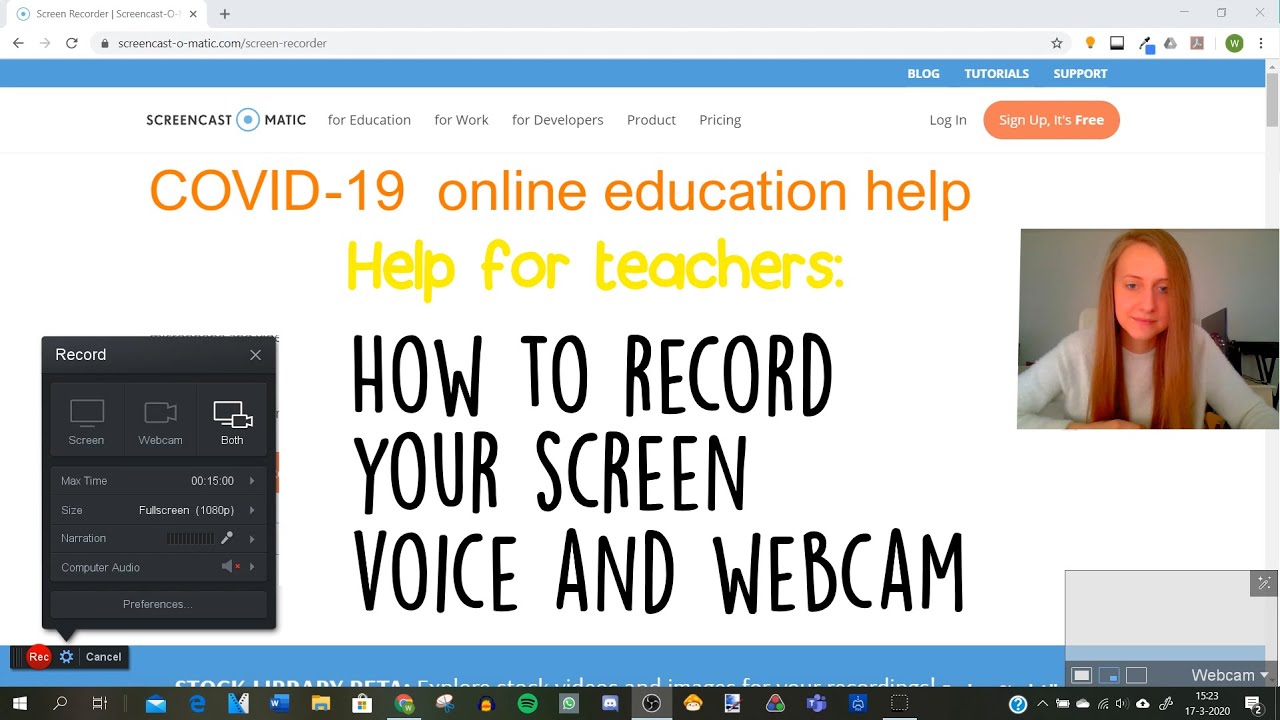
Breathtaking Teachers Can Now Record Audio, Video, And Screencasts Directly In Google Classroom View for Mobile
Experience the crisp clarity of this stunning teachers can now record audio, video, and screencasts directly in google classroom image, available in high resolution for all your screens.
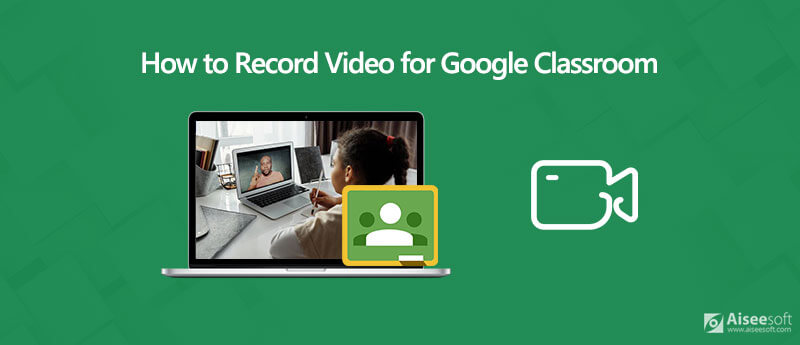
Gorgeous Teachers Can Now Record Audio, Video, And Screencasts Directly In Google Classroom Moment for Desktop
Immerse yourself in the stunning details of this beautiful teachers can now record audio, video, and screencasts directly in google classroom wallpaper, designed for a captivating visual experience.

Amazing Teachers Can Now Record Audio, Video, And Screencasts Directly In Google Classroom Scene Nature
Transform your screen with this vivid teachers can now record audio, video, and screencasts directly in google classroom artwork, a true masterpiece of digital design.

Crisp Teachers Can Now Record Audio, Video, And Screencasts Directly In Google Classroom Photo for Mobile
This gorgeous teachers can now record audio, video, and screencasts directly in google classroom photo offers a breathtaking view, making it a perfect choice for your next wallpaper.

Gorgeous Teachers Can Now Record Audio, Video, And Screencasts Directly In Google Classroom Artwork for Mobile
This gorgeous teachers can now record audio, video, and screencasts directly in google classroom photo offers a breathtaking view, making it a perfect choice for your next wallpaper.
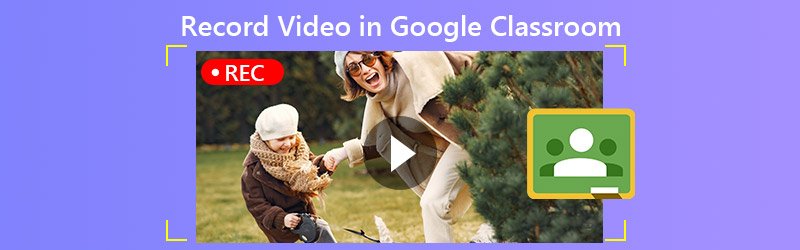
Artistic Teachers Can Now Record Audio, Video, And Screencasts Directly In Google Classroom Background Illustration
Immerse yourself in the stunning details of this beautiful teachers can now record audio, video, and screencasts directly in google classroom wallpaper, designed for a captivating visual experience.

Breathtaking Teachers Can Now Record Audio, Video, And Screencasts Directly In Google Classroom Picture Digital Art
Discover an amazing teachers can now record audio, video, and screencasts directly in google classroom background image, ideal for personalizing your devices with vibrant colors and intricate designs.
Amazing Teachers Can Now Record Audio, Video, And Screencasts Directly In Google Classroom Capture Nature
Explore this high-quality teachers can now record audio, video, and screencasts directly in google classroom image, perfect for enhancing your desktop or mobile wallpaper.
Artistic Teachers Can Now Record Audio, Video, And Screencasts Directly In Google Classroom Picture Photography
Find inspiration with this unique teachers can now record audio, video, and screencasts directly in google classroom illustration, crafted to provide a fresh look for your background.
Artistic Teachers Can Now Record Audio, Video, And Screencasts Directly In Google Classroom Artwork Art
A captivating teachers can now record audio, video, and screencasts directly in google classroom scene that brings tranquility and beauty to any device.
Amazing Teachers Can Now Record Audio, Video, And Screencasts Directly In Google Classroom Artwork Digital Art
Explore this high-quality teachers can now record audio, video, and screencasts directly in google classroom image, perfect for enhancing your desktop or mobile wallpaper.

Serene Teachers Can Now Record Audio, Video, And Screencasts Directly In Google Classroom Image Collection
Explore this high-quality teachers can now record audio, video, and screencasts directly in google classroom image, perfect for enhancing your desktop or mobile wallpaper.
High-Quality Teachers Can Now Record Audio, Video, And Screencasts Directly In Google Classroom Photo Collection
Experience the crisp clarity of this stunning teachers can now record audio, video, and screencasts directly in google classroom image, available in high resolution for all your screens.
Download these teachers can now record audio, video, and screencasts directly in google classroom wallpapers for free and use them on your desktop or mobile devices.
0 Response to "Teachers can now record audio, video, and screencasts directly in Google Classroom"
Post a Comment